
Reviewed · ATHENS ACROPOLIS & PARTHENON TOURS
Acropolis: 3D representations & audiovisual self-guided tour
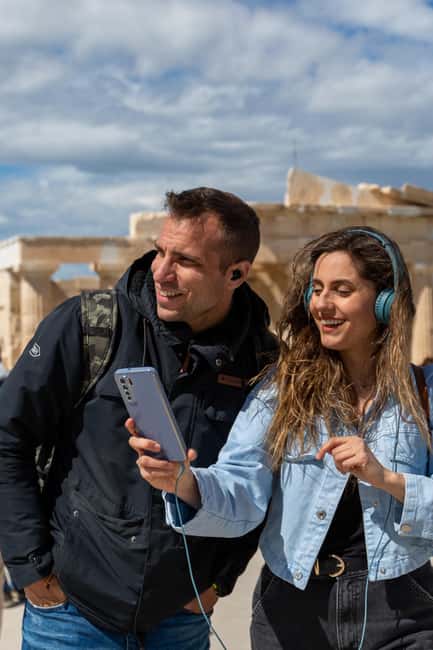
Forget the guesswork at the Acropolis. This app pairs 3D reconstructions with audio narration so you can read the monuments at your speed, not on someone else’s schedule. I also like that it focuses on major stops like the Parthenon, the Erechtheion, and the Temple of Athena Nike while keeping explanations practical. One downside to plan for: the entrance fee is not included, and the tour relies on your phone (plus internet access is required to use the tours effectively).
You do not meet a guide or gather with a group. You just download the content, step onto the hill, and follow the interactive map as you move. If you are willing to bring a charged smartphone, earphones, and a bit of patience with phone setup, it is a smart value way to get more out of one of Greece’s biggest landmarks without paying for a live guided tour.
Key things to know before you download

- 3D models plus 360 panoramas for multiple monuments, so you can see height, angles, and layout more clearly
- Audio narration for 17 monuments, available in 8 languages, including English, Spanish, German, French, Italian, Dutch, Greek, and Chinese
- Videos for 14 monuments and related stories for 8 monuments, which helps explain what you are looking at
- Interactive map feature to help you locate landmarks as you walk
- Valid 5 days from first activation, so you can spread it out before or after your Acropolis visit
Price and value of a 5-day Acropolis app

At $9.02 per person, this is priced like an add-on you use right where it matters. You are not paying for a guide or a timed entry. You are paying for a phone-based layer of context: narration, 3D, 360 views, and videos tied to monuments across the Acropolis site.
The key value here is control. If you like to slow down at details, or you want to step away from the main flow for a few minutes, a self-guided format works better than a fixed group tour. The app’s content stays available for 5 days from first activation, which is useful if your schedule changes or if you want to review before you go back on the hill.
Do note the tradeoff: you also need your phone to work. You will want a reliable battery, and you need charged smartphone plus earphones. The tour also asks for about 200MB of storage space, so download ahead of time instead of hoping your signal cooperates.
You can also read our reviews of more guided tours in Athens



Getting to the Acropolis fast, with no meeting point stress
This tour has no meeting point. That sounds vague, but it usually means you can start when you are ready, without waiting. For the easiest route, take the metro Red line to Acropolis metro station, then plan on a 10-minute walk to the Acropolis Archaeological site.
That matters because the Acropolis area can feel like a maze when you are moving between viewpoints and gates. With the app’s interactive map, you are not stuck asking someone for directions at every corner. Still, give yourself buffer time to orient first. Even with a map, it helps to arrive with enough daylight in your plan to actually enjoy the views up toward the sea.
What you get on your phone: 3D, 360, videos, and guided audio

This is not just a static audio guide. The app is built around modern explanations that match how the Acropolis looks in real life, broken down into monument-sized chunks.
Audio narration for 17 monuments
The audio part is the backbone. You can listen to historical information and context as you face the stones. The payoff is that the app talks while your eyes are already on the structure, which cuts down the “I saw it, but I didn’t really know what I was looking at” problem.
3D representations for 15 monuments, plus 360 views
This is the part most likely to change how you see what remains today. The Acropolis is famous, but a lot of the original structure is gone or fragmented. 3D models and 360 panoramas help you reconstruct the monument in your head, especially when the view from ground level makes proportions hard to judge.
More Athens tours and experiences for the shortlist






Videos for 14 monuments and related stories for 8
Video content and related stories add narrative glue. They can be especially helpful if you want myths and history tied directly to a place, not just listed as facts. You get to choose how much story you want, and you can return to a section later while you are still on the hill.
Interactive map feature
The interactive map is practical. Instead of flipping through a list of monuments and hoping you are in the right spot, you can locate landmarks as you go. If your phone has a weak connection, the map may feel slower, but the concept is solid: use your position to guide your order.
Parthenon stop: using 3D to understand what is missing

The Parthenon is the obvious anchor, but the reason the app helps is simple. From one angle, ruins can look like scattered blocks. The audio and 3D reconstructions push you to connect the surviving pieces with the full original building concept.
I like how this setup turns the Parthenon into a visual lesson. You get to compare what you see now with what the app reconstructs, and you can pause, replay, and spend extra time on sections that match your interest. If you are into architecture, this is the monument where that approach tends to work best because proportions and placement are what you keep noticing.
Practical tip: give yourself extra minutes here. Even without a live guide, the phone content can encourage you to stop more often than you planned.
Erechtheion stop: stories plus structure for a more human feel

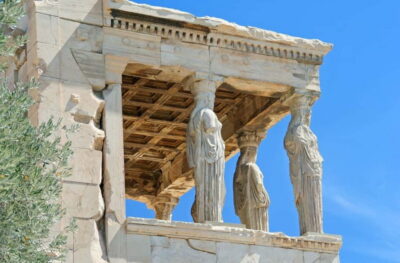
The Erechtheion is one of those monuments that can feel confusing if you do not have context. That is exactly where the combination of audio and visual support pays off. The app’s narration gives you historical framing while the visuals help you connect the details you might otherwise miss.
This stop also benefits from a key Acropolis reality: you do not just look, you interpret. The app’s structure makes it easier to do that because you can focus on the monument one segment at a time, rather than trying to absorb everything in one long listening session.
If you want a sense of why this place mattered to Athenians beyond big speeches about democracy, the Erechtheion stop is a good candidate because it feels more character-driven than the biggest, most iconic facade.
Temple of Athena Nike: pairing the viewpoint with the explanation

The Temple of Athena Nike is the kind of place where the surroundings matter. You get a strong “so this is why the spot works” feeling when you pair what you see in front of you with what the app explains.
One of the headline benefits listed is getting a unique view up toward the sea. That fits this general idea: on the Acropolis, your best moments often happen when you look up at the monuments and then rotate to see the city’s reach. The app’s audio and visuals can help you time those moments, because you are not just walking past for a photo. You are walking with an explanation in your earbuds.
Practical tip: do not rely on photos alone here. Let the phone content lead, then take pictures once you understand what you are aiming at.
The rest of the hill: 17 audio stops across the UNESCO site

Beyond those headline monuments, the app covers a wider set of points. You get audio narration for 17 monuments, plus 3D models and 360 panoramas for 15 monuments. There are also videos for 14 monuments and related stories for 8 monuments.
What that means for you is flexibility. You can follow the content in the order that matches your walking. If you feel drawn to architectural details, spend more time on the segments that have 3D. If you want more story, jump to stops with related stories or videos.
A small caution: with this much content available, it is easy to overdo it and end up walking while half-listening. I recommend a rhythm. Listen while you are standing still, then walk for a few minutes without the audio. It keeps the experience from becoming noise, and it helps your eyes do their job.
Using the interactive map so you do not get lost on purpose

The interactive map feature is designed for exactly what can happen at the Acropolis: you walk a loop, you think you are at the next stop, and you realize you are looking at the right area but not the right monument.
With this app, you should be able to locate landmarks as you go. That is especially helpful since the activity has no meeting point, so you are responsible for your own pacing and positioning.
Two practical habits I like for this kind of self-guided site:
- Keep your screen brightness reasonable to save battery.
- Make sure you pause audio at each monument before you start walking again, so you do not miss the switch between stops.
Also remember: internet access is required to use the tours effectively. That does not mean you need constant data while you explore forever, but you should plan to have Wi-Fi or a data connection ready, at least at the start of your visit.
Timing and comfort: what to bring for a phone-based monument day

The Acropolis is a hill with open sky. The app adds phone use, which means you need to manage comfort more carefully than a normal walk.
Bring:
- Comfortable shoes
- Sun hat
- Water
- Charged smartphone
- Earphones
And consider the phone setup part. You need around 200MB storage, so do the download on Wi-Fi when possible. After booking, you will get an email with instructions from the provider (Culture App) on how to download the content, so check your spam folder too.
The best strategy is to download and test before you reach the site, then use your visit time for listening and looking, not troubleshooting.
Language options: pick one that makes the details stick
This app offers audio and content in 8 languages: English, Greek, Spanish, German, French, Italian, Dutch, and Chinese.
For me, the biggest advantage of having many languages is precision. When you understand the narration, you notice more. Even basic terms and proper names make a difference when you are trying to connect stones to stories. If your goal is to feel confident moving around the Acropolis without a guide, choosing a language you really understand is one of the best investments you can make.
Who this self-guided Acropolis tour fits best
This experience is a good match if you want:
- A self-guided pace, not a rushed schedule
- 3D and 360 support to help you interpret ruins
- A phone-based tour that you can use before, during, or after your visit
It may be less ideal if you:
- Do not like relying on your phone outdoors
- Have poor battery habits or do not plan for storage and downloads
- Expect the ticket itself to be included (it is not, and entrance fee is not included)
If you are traveling solo or with family members who move at different speeds, this format often feels easier than a one-size-fits-all guided group.
Should you book the Acropolis 3D and audio self-guided tour?
I would book it if you want to get more meaning from the Acropolis without paying for a live guide, and you are comfortable doing a little phone prep. For $9.02, the value is strongest when you will actually use the audio narration plus the 3D/360 layers at multiple monuments.
I would skip it if you hate tech setup, you cannot guarantee internet access, or you want everything handled for you on-site. In that case, a traditional guided tour might feel safer and simpler.
If you are on the fence, use this quick checklist: charged phone, earphones ready, 200MB storage available, and a plan to download the content before you arrive. If you can handle those basics, this app gives you a practical way to see the Acropolis with your eyes open, not just your camera out.
FAQ
Is the Acropolis entrance fee included?
No. The entrance fee is not included, and you will need to purchase the site ticket separately.
Do I need a meeting point or a guide?
No. This is a self-guided tour with no meeting point.
How much time do I get to use the tour?
The tour is valid for 5 days, starting from your first activation.
How many monuments are covered by the audio?
You get audio narration and historical information for 17 monuments.
Does it include 3D, 360 views, or videos?
Yes. You get 3D models and 360 panoramas for 15 monuments, and videos for 14 monuments.
What languages are available?
The downloadable tour offers English, Greek, Spanish, German, French, Italian, Dutch, and Chinese.
Do I need internet access?
Yes. The instructions say internet access is required to use the tours effectively.
How much storage space does the app need?
Plan for about 200MB of storage space on your phone.
What should I bring with me?
Bring comfortable shoes, a sun hat, water, and a charged smartphone. You should also have earphones.
How do I cancel, if plans change?
You can cancel up to 24 hours in advance for a full refund.
If you want, tell me your travel dates and whether you plan to go in the morning or late afternoon, and I can suggest a phone-friendly pacing plan for the Acropolis using this style of stop-by-stop content.
More Guided Tours in Athens

More Tours in Athens



More Tour Reviews in Athens
- All Day Cruise -3 Islands to Agistri,Moni, Aegina with lunch and drinks included
★ 5.0 · 4,958 reviews




Not for you? Here's more nearby things to do in Athens we have reviewed









Athens Acropolis & Parthenon Tours, compared.
 ★ 4.4Acropolis & up to 5 Archaeological Sites Combo PassFrom $4812,619 reviews
 ★ 4.2Acropolis Ticket with Optional Audio or Live GuideFrom $4211,055 reviews
 ★ 4.8Acropolis, Parthenon & Acropolis Museum Guided TourFrom $409,316 reviews
 ★ 4.6Acropolis and Parthenon Guided Walking TourFrom $385,882 reviews
★ 4.8Acropolis, Parthenon & Acropolis Museum Guided TourFrom $413,579 reviews
★ 4.6Acropolis and Parthenon Guided Walking TourFrom $385,882 reviews
★ 4.8Acropolis, Parthenon & Acropolis Museum Guided TourFrom $413,579 reviews
 ★ 4.0Acropolis Ticket with Audio GuideFrom $473,575 reviews
 ★ 4.7Acropolis: Acropolis and Parthenon Guided Walking TourFrom $363,442 reviews
 ★ 5.0Acropolis monuments & Parthenon Walking Tour with Optional Acropolis MuseumFrom $422,678 reviews
Browse the lists this tour appears in